

Collaboration

Keep track of
each profile.

How it works

One space for the entire team.

Hiring as a team can get messy fast. When scaling up, teams lose overview without the right structure. Applyfin tackles multiple challenges at once.

Context

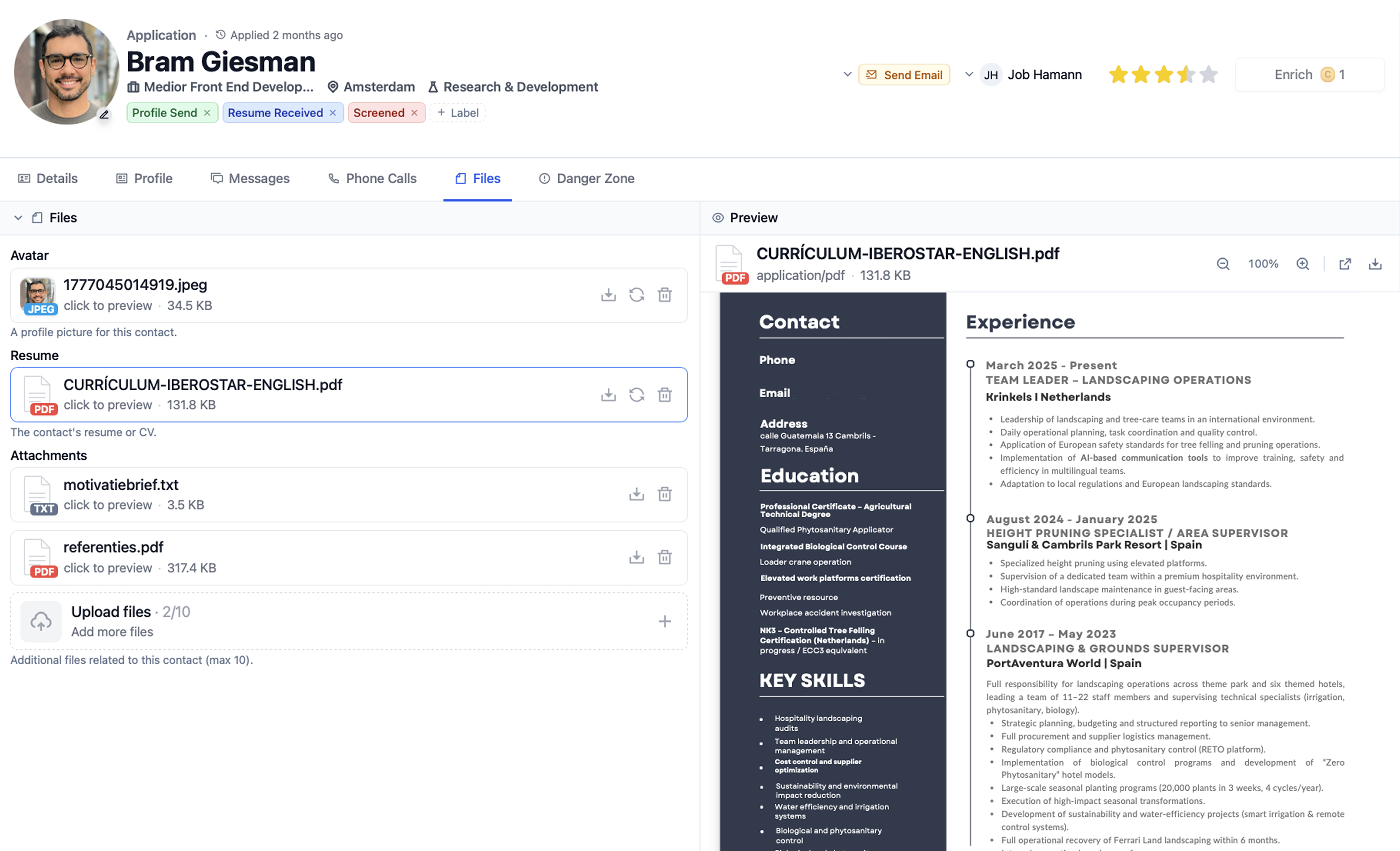
Scattered candidate context.

Past messages, activities and documents live in different tools. No one place tells you the full candidate history.

Personalisation

One pipeline for everyone.

Recruiters, managers and HR look at one long list. There's no view that fits your role, your candidates or your tasks.

Sharing

Slow internal handoffs.

Looping in a manager means another email. Feedback and evaluations after calls don't make it back to the record.

Communication

Lost replies.

Threads live in personal email and every message gets rewritten from scratch. No shared inbox, no template library.

Context

Keep teams up to date on every record.

Most candidate updates start in personal tools. This means teammates spend time figuring out what already happened. Every change and conversation is kept on the record.

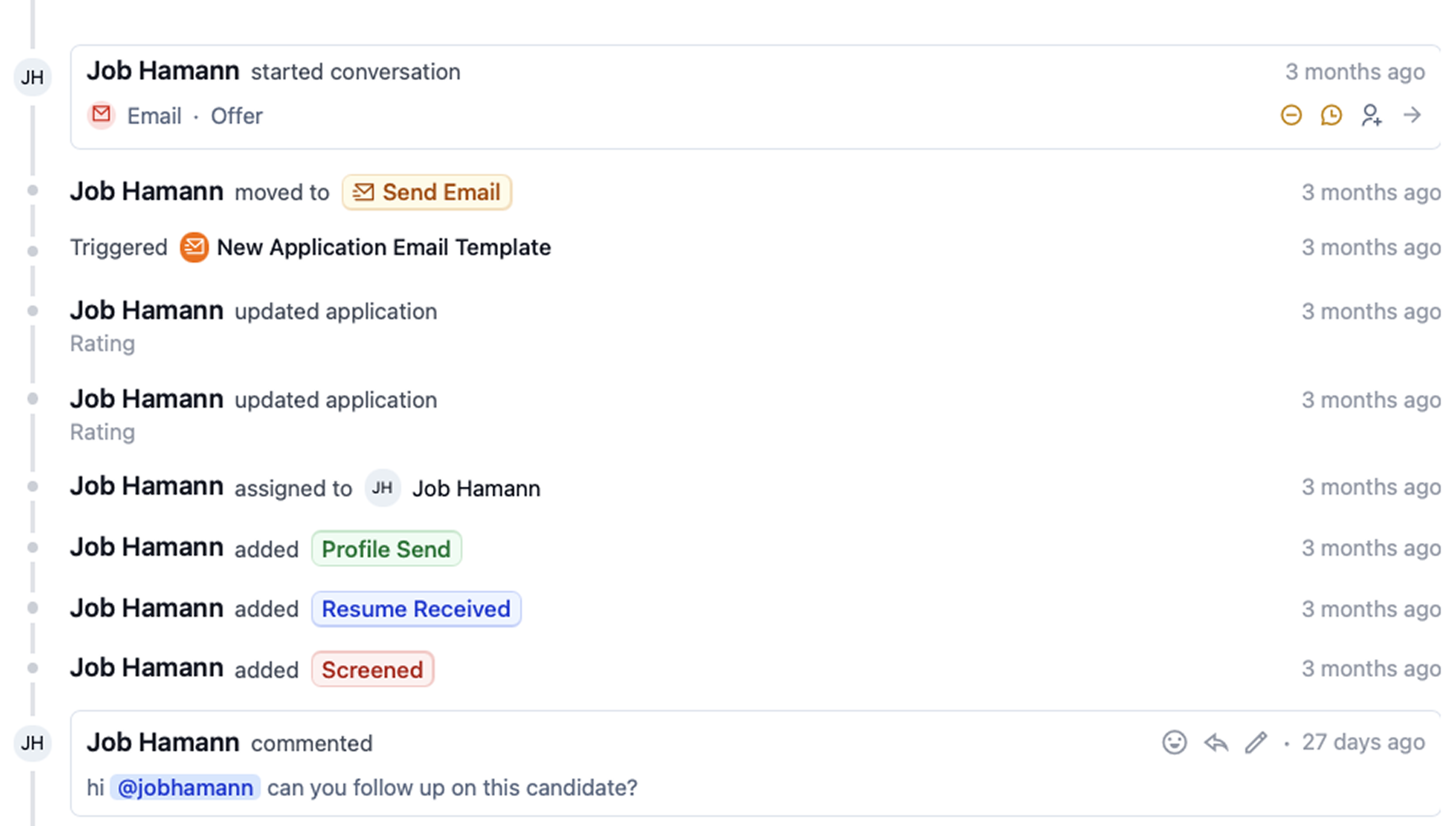
Activity log / 01

Everychange,whodidit,when.

Everychangeonarecordistrackedautomatically.Openacandidateandseewhodidwhat.Scrollthetimelinetocatchupataglance.

Comments & labels / 02

Keepeachotherintheloop.

Commentoncandidatesfrominsidetheactivitylog.Filtertofindtherightthreadfast.Addlabelsperteamtomarkcandidatesasatopmatch,blockeroranythingyoutrack.

Personalisation

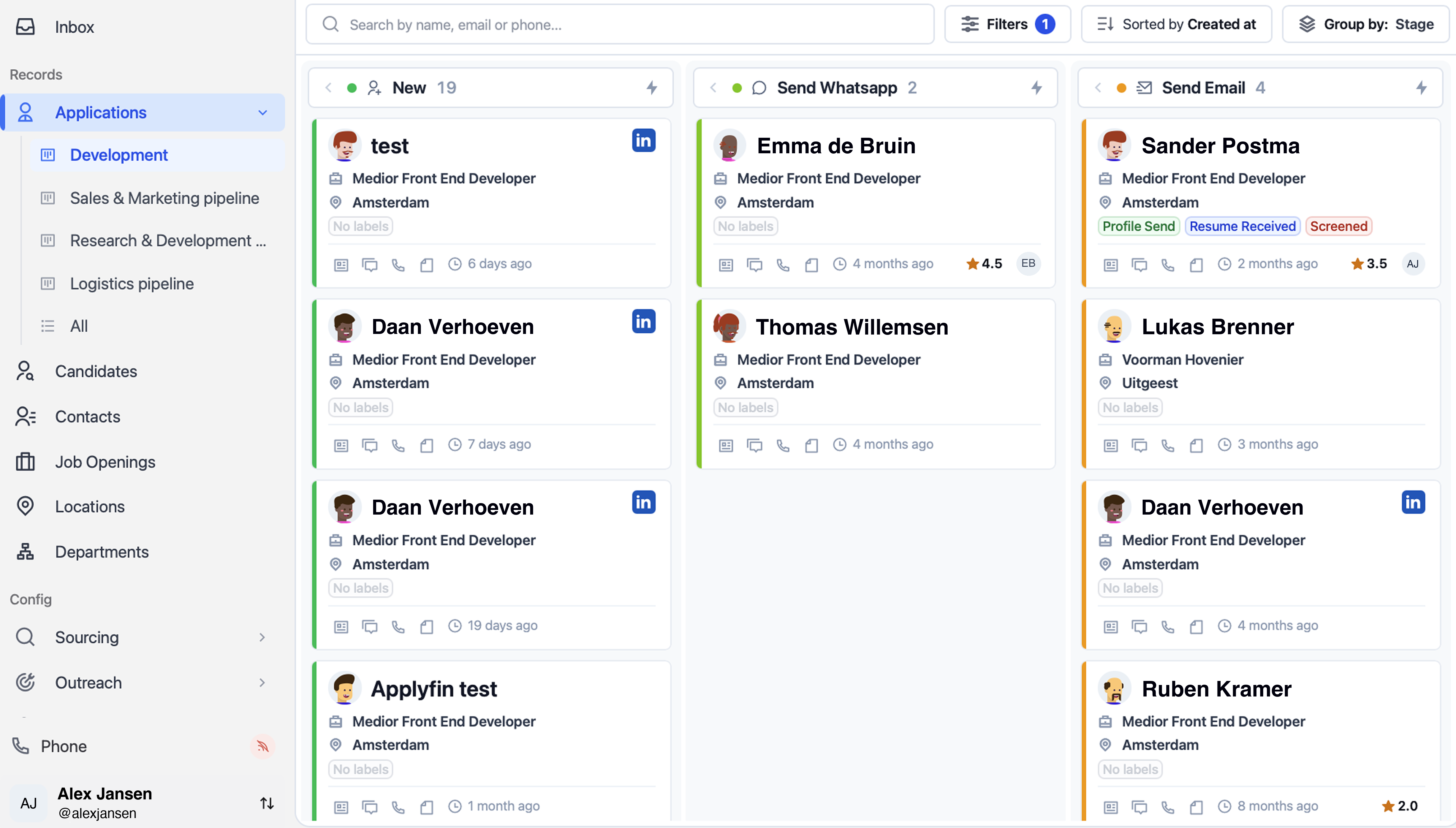
A pipeline view for each user.

Recruiters and managers rarely look at the pipeline the same way. Without role-specific views, the team works off one long list. Open the pipeline filtered to your role from day one.

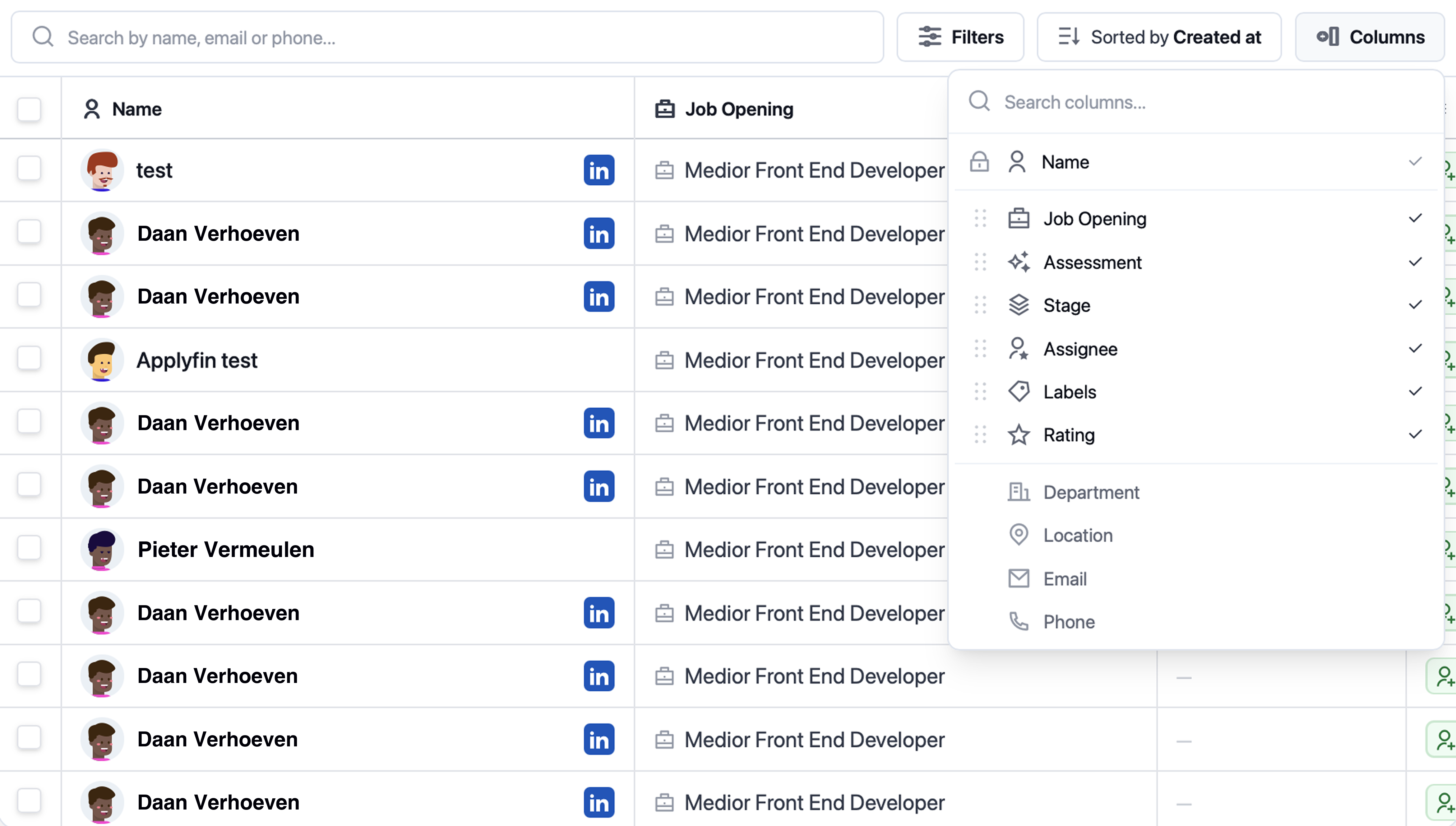
Custom views / 03

Seethepipelineyou'reassignedto.

Saveaviewperroleorteam,withthecolumnsyouneed.Openthepipelinefilteredtoyourwork.Switchviewswithoutdisruptingothers.

Filters / 04

Filterbythecandidatesyoutrack.

Filterbystage,label,sourceoranyfieldontherecord.Savethecombination,orfilterinline.Layerfiltersperteamwithoutlosingyourlist.

Sharing

Track every action and evaluation.

Most teams keep tasks in personal apps outside the platform. Without visibility, follow-ups slip through and steps get missed. Tasks land on the record, with labels you can customise per team.

Tasks / 05

Nevermissafollow-up.

Assigntasksperrecordorperrole.Overdueonesareflaggedintheactivityfeed.Tickthemofffromtherecordwithoutleavingthepage.

Evaluation templates / 06

Evaluatecandidatesacrossteams.

Buildtemplatesperrolewithcriteriayouagreeon.Sharethesametemplateacrossdepartments.Sendarequestbyemailtofillinanevaluation.

Communication

One place for all the application details.

Outreach tends to scatter across multiple inboxes. As a result, threads sit in personal accounts and templates get rewritten every time. Conversations stay on the record, with templates the team can re-use.

Unified inbox / 07

Everyconversation,inonethread.

Email,LinkedInandWhatsAppononethreadpercandidate.Replyorschedulemeetingswithoutswitchingtabs.Thewholeteamseestheconversationinrealtime.

Templates / 08

Stoprewritingthesameemail.

Shareemailandmessagetemplatesacrosstheteam.DraftwithAItokeepmessagingconsistent.Re-usethemonanyrecordwithoutrewritingfromscratch.

Results

What hiring teams get back.

  • 4h

    Saved per recruiter weekly

  • 2x

    Candidates per recruiter

  • Unlimited users

Built for the whole team

A workspace that suits every user

Recruiters, hiring managers, and HR each get the version of the pipeline that fits how they work.

For hiring managers

Tag-based views per role, shared notes, and one-click evaluation requests, so you weigh in without learning the ATS.

For recruiters

Activity log, comments, custom views, and one inbox per candidate, so you spend the day on the next move, not reconstructing the last one.

For HR leads

Audit-ready activity log, permissioned tags, and dashboards that show how every role is moving across the org.

Integrations

Plug into your current tools.

OAuth sign in
No manual setup
Integrate with HR software
Microsoft Outlook logo
Google Calendar logo
Gmail logo
Microsoft Teams logo
Slack logo
Google Meet logo
Collaborate efficiently

One platform,
higher productivity.