Which recruitment software features are important?
Recruitment software should help you hire faster and more effectively. The most important features are an applicant tracking system, job posting management, automated communication, and reporting tools. Modern platforms add AI automation so you can manage more candidates with less manual work. This guide answers the most frequently asked questions about essential recruitment software features, from basic ATS to advanced platforms with analytics and integrations.

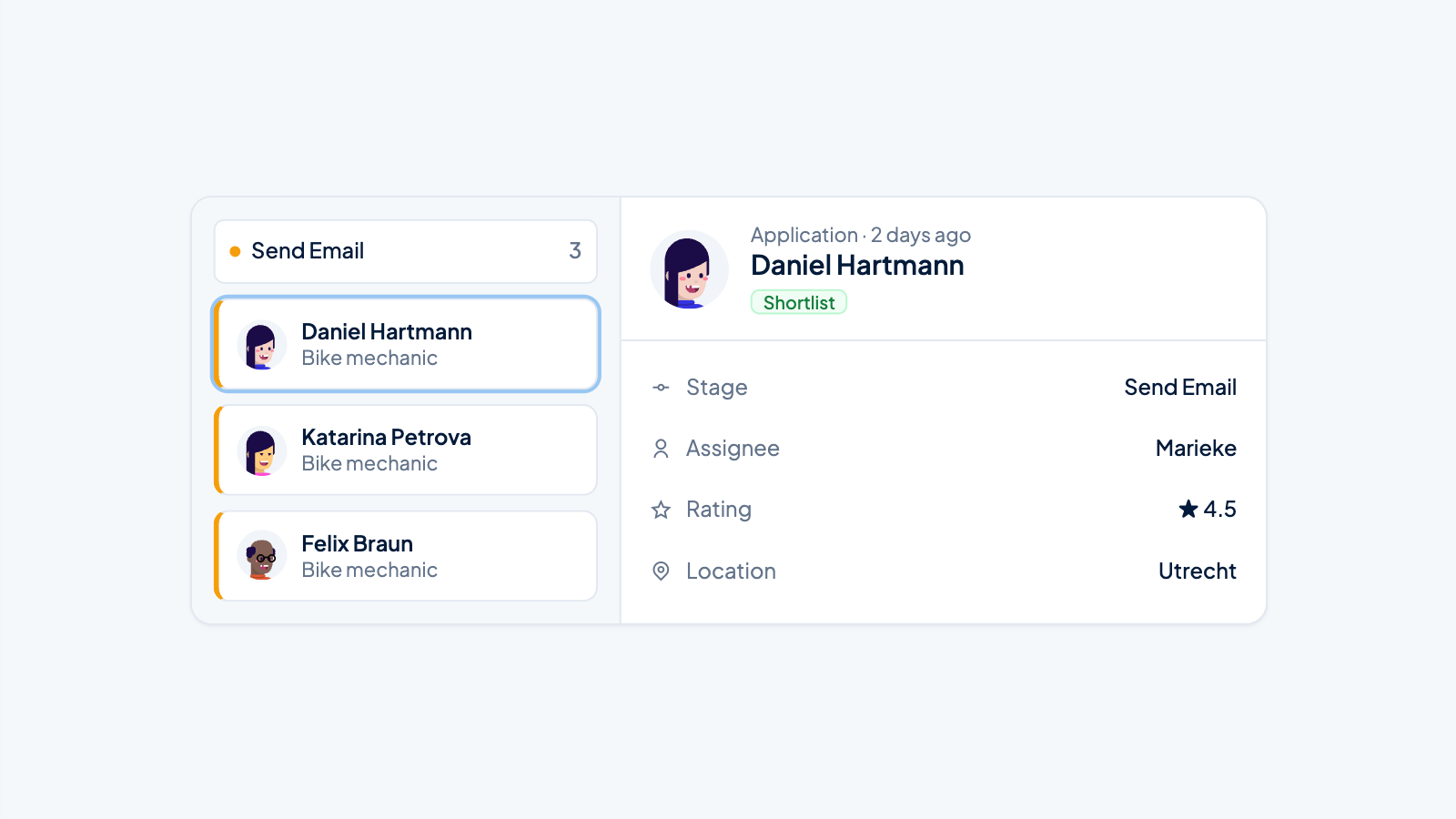
Recruitment software should help you hire faster and more effectively. The most important features are an applicant tracking system for tracking candidates, job management for centralizing your open positions, automated communication, and reporting tools. Modern platforms add AI in recruitment processes to that, enabling you to manage more candidates with less manual work. This guide answers the most frequently asked questions about recruitment software features.
What are the essential features of recruitment software?
A good recruitment platform should include at least an applicant tracking system for tracking candidates through your hiring process, centralized job management, and communication tools for candidate contact. In addition, reporting features are needed to gain insight into your recruiting performance and identify bottlenecks.
These basic features form the backbone of any professional recruiting system. The applicant tracking system ensures you can track all candidates from their first application to the final hiring decision. You see at a glance which stage each candidate is in and what actions are still needed.
Job management centralizes all your open positions in one place. You can create, edit, and publish job postings without switching between different systems. This saves time and prevents errors that occur when you work with multiple separate tools.
Communication tools within your recruitment software ensure consistent and timely interaction with candidates. Consider:
- Automated application receipt confirmations
- Status updates during the hiring process
- Scheduling tools for interviews and meetings
- Templates for common messages
- Integration with email and other communication channels
Reporting features give you insight into key metrics such as time-to-hire, cost per hire, and the effectiveness of different recruiting channels. This data helps you continuously improve your process and make well-informed decisions.
How can AI automation improve your recruiting process?
AI in recruitment processes automates repetitive tasks such as screening resumes, answering frequently asked questions, and scheduling appointments. This gives recruiters more time for personal contact with suitable candidates and strategic work. AI recruiting tasks also include scoring candidates based on job requirements and identifying the most promising profiles.
The practical benefits of AI recruiting work are immediately noticeable in your daily work. Instead of manually reviewing every resume, AI screens large volumes of applications against relevant criteria. The system recognizes skills, experience, and qualifications that match your job profile.
Candidate qualification becomes significantly more efficient. AI can automatically score applicants based on predefined criteria, so you immediately see which candidates best fit the role. This doesn't mean AI makes the decision, but rather that you can focus your time on the most relevant profiles.
Important ways AI recruiting makes things faster:
- Automatic screening of incoming applications within minutes instead of hours
- Chatbots that answer basic candidate questions, including outside office hours
- Smart scheduling that automatically finds available time slots for interviews
- Automated follow-ups that keep candidates engaged
- Predictive analytics that indicate which candidates are likely to be successful
This makes AI recruiting cheaper because you can process more candidates without deploying extra staff. Your team can focus on what really adds value: having quality conversations and building relationships with talent.
What integration options are important for recruitment software?
Good recruitment software should integrate with your existing tools, such as job boards for job distribution, your HR system for personnel administration, email platforms, and calendar applications. These connections prevent duplicate work and ensure data automatically syncs between systems, reducing errors and saving time.
Job board integrations are often the most important connection. You want to be able to publish job postings with one click to platforms like Indeed, LinkedIn, and industry-specific sites. Without integration, you have to enter each job manually on every platform, which takes a lot of time and increases the risk of inconsistencies.
HRIS integrations ensure candidate data automatically transfers to your personnel system as soon as someone is hired. This prevents you from having to enter the same information twice and ensures your records are in order from day one.
Communication integrations are essential for smooth workflows:
- Email integrations for direct communication from your recruitment platform
- Calendar synchronization for automatic availability checks
- WhatsApp or SMS integrations for quick candidate reachability
- Video calling platforms for online interviews
Evaluate integration options based on your current tech stack. Make a list of tools you use daily and check whether potential recruitment software works seamlessly with them. Native integrations usually work more reliably than external connections through tools like Zapier.
What is the difference between basic ATS and advanced recruitment platforms?
A basic ATS records and tracks applications through your hiring process, while an advanced recruitment platform also includes sourcing, automation, analytics, and AI features. Traditional systems are primarily administrative tools; modern platforms support the entire hiring process from job creation to onboarding.
Basic ATS systems focus on tracking and organization. You can move candidates through different stages, add notes, and record communication. These systems work well for organizations with simple hiring processes and limited candidate volumes.
Advanced recruitment platforms go further and actively help you find and qualify talent. They include tools for creating attractive job pages, automatically distributing job postings, and analyzing which channels deliver the best candidates.
The main differences in functionality:
- Sourcing: A basic ATS waits for applications; advanced platforms help you actively find talent
- Automation: Basic systems require a lot of manual work; modern platforms automate repetitive tasks
- Analytics: Simple reporting versus extensive data analysis and predictive insights
- Candidate experience: Functional interfaces versus optimized, brand-focused application processes
- AI support: No intelligent features versus smart screening and matching
Choose a basic ATS if you mainly need a digital archive for applications. Consider an advanced platform when you want to optimize your hiring process, handle large candidate volumes, or make your team more productive.
How do you choose recruitment software that scales with your organization?
Scalable recruitment software grows with your organization through flexible user licenses, capacity for increasing candidate volumes, and customizable workflows. Look for systems that can support both small teams and larger departments without having to migrate to another platform as you grow.
Volume handling is a critical scaling factor. Software that works fine with 50 applications per month can stall at 500. Ask vendors about their capacity limits and request references from customers with similar or larger volumes than you expect.
User flexibility determines whether you can easily add or remove team members. Some systems charge per user; others offer unlimited users within a certain package. Think about your growth plans and seasonal peaks when you temporarily deploy extra recruiters.
Workflow adaptability ensures the system adapts to your process, not the other way around. Ask yourself:
- Can I customize hiring stages for different job types?
- Are different approval processes possible for junior versus senior roles?
- Can I set up workflows for different locations or departments?
- Does the system support both direct hires and hiring through agencies?
Organizations with rapid growth or seasonal fluctuations need extra flexibility. Retail and hospitality, for example, hire en masse for peak season, while tech companies often grow in waves after funding rounds. Your software should be able to handle these variations without performance loss.
Which reporting and analytics features do you really need?
Essential reporting features include time-to-hire tracking, insight into recruiting costs per job, conversion rates through your funnel, and source analysis that shows which channels deliver the best candidates. These metrics help you identify bottlenecks and make data-driven decisions about your recruiting strategy.
Time-to-hire is the most important efficiency indicator. It shows how much time passes between opening a job and accepting an offer. Long lead times mean you may be losing good candidates to competitors or that your process is inefficient.
Pipeline visibility shows where candidates get stuck in your process. If many candidates drop out after the first interview, it may indicate unclear expectations or an overly long procedure. These insights help you continuously improve your process.
Key recruitment KPIs for your dashboard:
- Number of applications per job and source
- Conversion rate from application to interview
- Conversion rate from interview to offer
- Offer acceptance rate
- Cost per hire by recruiting channel
- Quality of hire (performance after onboarding)
Source analysis is crucial for budget allocation. When you know that LinkedIn delivers three times as many qualified candidates as general job boards, you can adjust your advertising budget accordingly. This makes your recruiting more effective and AI recruiting cheaper.
We developed our platform features with these analytics needs in mind. The system provides real-time insight into your entire hiring process, from job posting to final hire. Want to see how this works in practice for your organization? View our complete platform or contact us for a personal demonstration where we show how your recruitment processes can be more efficient.