How do you save time in recruitment with smart tools?
Recruitment costs recruiters and HR teams an unnecessary amount of time on CV screening, communication, and administration. Smart recruitment tools and automation can take over up to 70% of these repetitive tasks. In this article, you'll discover which tools make the biggest impact, how AI workflows work in practice, and how much time you realistically save. From ATS systems to automated candidate communication: learn step by step how to switch to a more efficient recruitment process without losing the personal touch.

Recruitment takes time. A lot of time. Every job opening requires screening resumes, assessing candidates, scheduling interviews, and sending endless emails. For many recruiters and HR teams, it feels like the day is too short to get everything done. But it doesn't have to be that way. Smart recruitment tools and automation can take over a large part of these time-consuming tasks. In this article, you'll read which tools truly make a difference, how automation works in practice, and how much time you can realistically save.
Why does recruitment take so much time in 2025?
The modern recruiter juggles more tasks than ever. The number of applications per job opening keeps rising, especially for popular roles. Every applicant expects fast communication and personal attention. At the same time, you have to post job openings on multiple platforms, guide candidates through the pipeline, and keep hiring managers informed.
Manually screening resumes takes up the largest part of the time. For each job opening, you have to go through dozens to sometimes hundreds of resumes. You look for relevant experience, the right skills, and signals that someone fits the organization. This process quickly takes 5 to 10 minutes per resume.
Communication happens across different channels. Email, WhatsApp, phone, LinkedIn messages. All information is spread across platforms. You have to manually keep track of who you spoke to and when, and what the next step is. This leads to duplicate work and missed candidates.
Administrative tasks pile up. Writing job descriptions, posting ads, scheduling interviews, collecting feedback, and updating notes. These repetitive tasks are necessary but add little strategic value. Yet they cost hours every week.
The result is that recruiters have less time for what really matters. Personal conversations with candidates, building relationships with hiring managers, and thinking strategically about talent acquisition get pushed aside. Recruitment efficiency suffers as a result.
Which smart tools save recruiters the most time?
Not every tool delivers the same time savings. Some systems automate small tasks; others transform your entire workflow. The biggest impact comes from tools that combine multiple functions in one platform.
An applicant tracking system (ATS) centralizes your recruitment process. Instead of tracking candidates via spreadsheets and email, you see in one overview where each applicant stands. You can quickly filter by criteria, add notes, and move candidates through the pipeline. This alone saves hours of administration every week.
The most important tools that help recruiters save time are:
- AI-powered resume screening – automatically analyzes applications, compares them with job requirements, and gives each candidate a score
- Automated candidate communication – sends confirmation emails, updates, and rejections without manual work
- Centralized job board posting – posts job openings with one click to multiple platforms such as LinkedIn and Indeed
- Workflow automation platforms – connect all functions and automatically trigger actions when a candidate applies
AI-powered resume screening can reduce screening time per application from 10 minutes to 2 minutes. The software reads resumes, compares them with the job requirements, and filters out candidates who do not meet the basic requirements. That way, you only need to manually review the most promising profiles.
Automated candidate communication ensures that no one is left in the dark. The system sends confirmation emails after an application, updates on progress, and rejections when needed. You can create templates for different scenarios. The tool customizes them with the right name and job title. Candidates get faster responses and you don't have to type every email manually.
How does automation work in the recruitment process?
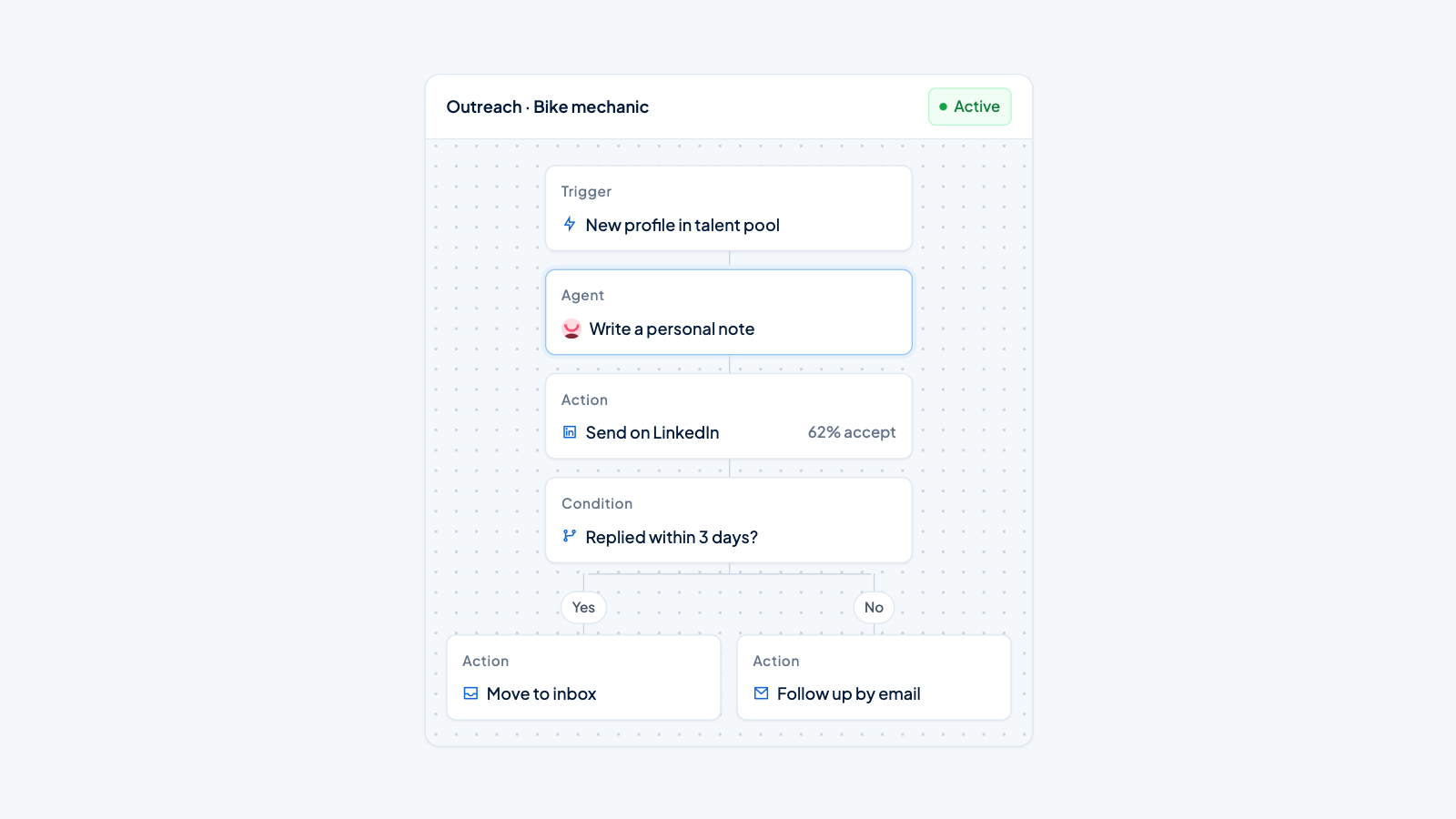
Recruitment automation sounds complicated, but the basics are simple. You set rules and the system executes them. When X happens, the system automatically does Y. You can apply this logic to almost every step in your recruitment process.
AI qualification workflows start as soon as an application comes in. The system extracts information from the resume, such as work experience, education, and skills. This data is compared with the job requirements you have entered. Based on the match, the candidate receives a score. Candidates above a certain threshold enter your active pipeline. Candidates below receive a friendly rejection.
Automated pipeline management moves candidates through your recruitment process. When you mark a candidate as 'invited for an interview', the system automatically schedules a meeting based on available time slots. After the interview, the candidate receives a follow-up email. If you decide to proceed to the next round, this is recorded and relevant team members receive a notification.
Smart notifications keep everyone informed without you having to send emails yourself. Hiring managers receive an alert when strong candidates enter the pipeline. Candidates receive updates when their status changes. You get a reminder when it's time to follow up with someone who hasn't heard anything for a week.
Integrations eliminate duplicate work. When you enter candidate data into your ATS, it automatically syncs with your HR system. Information from interviews that you record in one tool also appears in other systems. You never have to enter the same information twice.
A practical example makes the difference clear. In a manual process, a recruiter screens 50 resumes (8 hours), sends 50 confirmation emails (2 hours), selects 10 candidates and sends invitations (1 hour), schedules 10 interviews (2 hours), and tracks status in a spreadsheet (1 hour). Total: 14 hours. With automation, the recruiter reviews 10 pre-screened profiles (1 hour), adjusts automated templates where necessary (0.5 hours), and confirms automatically scheduled interviews (0.5 hours). Total: 2 hours.
From manual to automated: the practical steps
The switch to recruitment automation requires planning. You don't have to change everything at once. Start with the tasks that take the most time and work step by step toward a fully automated workflow.
Follow these steps for a successful implementation:
- Start with an audit of your current process – write down every step in your recruitment workflow and how much time you spend on it
- Identify quick wins – some automations can be set up within a day and deliver immediate results
- Select a centralized platform – choose a system that fits your organization and grows with your needs
- Set up AI workflows – start with roles where you receive many applications and have clear selection criteria
- Train your team thoroughly – provide clear guides, practical examples, and room to ask questions
- Measure the results from day one – track how much time you save per job opening and how quickly you fill positions
Identify quick wins. Some automations can be set up within a day and deliver immediate results. Automated confirmation emails, for example, or a template system for common messages. These small improvements give your team confidence in the process and make room for larger changes.
Select a centralized platform that fits your organization. Look at functionality, ease of use, and integration options with systems you already use. The most important thing is to choose a system that grows with your needs.
Set up AI workflows for your most common job openings. Start with roles where you receive many applications and have clear selection criteria. Enter the job requirements and determine which skills and experience are essential. The system learns what works and becomes more accurate as you process more candidates.
How much time can you really save with recruitment automation?
The time savings from recruitment automation are measurable. Exactly how much you save depends on your starting point, the types of job openings, and how fully you automate. But the patterns are consistent.
Screening time per applicant drops dramatically. Where you previously spent 5 to 10 minutes per resume, you now only look at pre-screened candidates who already meet the basic criteria. For every 100 applications, you save 10 to 15 hours of screening time. In high-volume recruitment, these hours add up quickly.
Administrative tasks decrease by 60 to 70 percent. Manually updating spreadsheets, sending standard emails, and scheduling interviews largely disappear. A recruiter who previously spent 10 hours per week on administration now has 3 to 4 hours left. You can invest that time in personal contact with candidates and strategic work.
Time-to-hire improves noticeably. Because candidates receive feedback faster and less time is lost to administrative work, they move through the pipeline more smoothly. Where it previously took 4 to 6 weeks to fill a position, it now often happens in 2 to 3 weeks. Faster hiring means lower costs and less chance that good candidates drop off.
The capacity per recruiter increases significantly. With the same time and energy, you can process up to 3 times more applicants. This doesn't mean you work three times as hard, but that you focus on the tasks where you add value as a human. The system handles the rest.
Total cost reduction can reach up to 60 percent. This is due to a combination of factors. You need fewer recruiters for the same volume, job openings stay open for less time (which saves money), and you make better hiring decisions because you have more time for quality assessment.
For small teams with 5 to 10 job openings per month, the savings are already substantial. You gain a few hours per week, which gives room for a better candidate experience. For recruitment agencies and large organizations with dozens of job openings at the same time, the impact is transformative. Tasks that previously required an entire team can now be managed by a few recruiters.
Saving time in recruitment is about working smarter, not harder. Automation takes over repetitive tasks so you can focus on what people do well: building relationships, recognizing talent, and making strategic decisions. The tools already exist and the results are proven. The question is not whether you should automate, but when you start.
Want to learn more about how recruitment automation can help your organization? Discover all the features that modern recruitment platforms offer, or see how ApplyFin can transform your hiring process. Feel free to contact us for a personal demo and find out how much time you can save.