Which recruitment software suits small businesses?
Discover which recruitment software suits your small business. From free to €200/month.

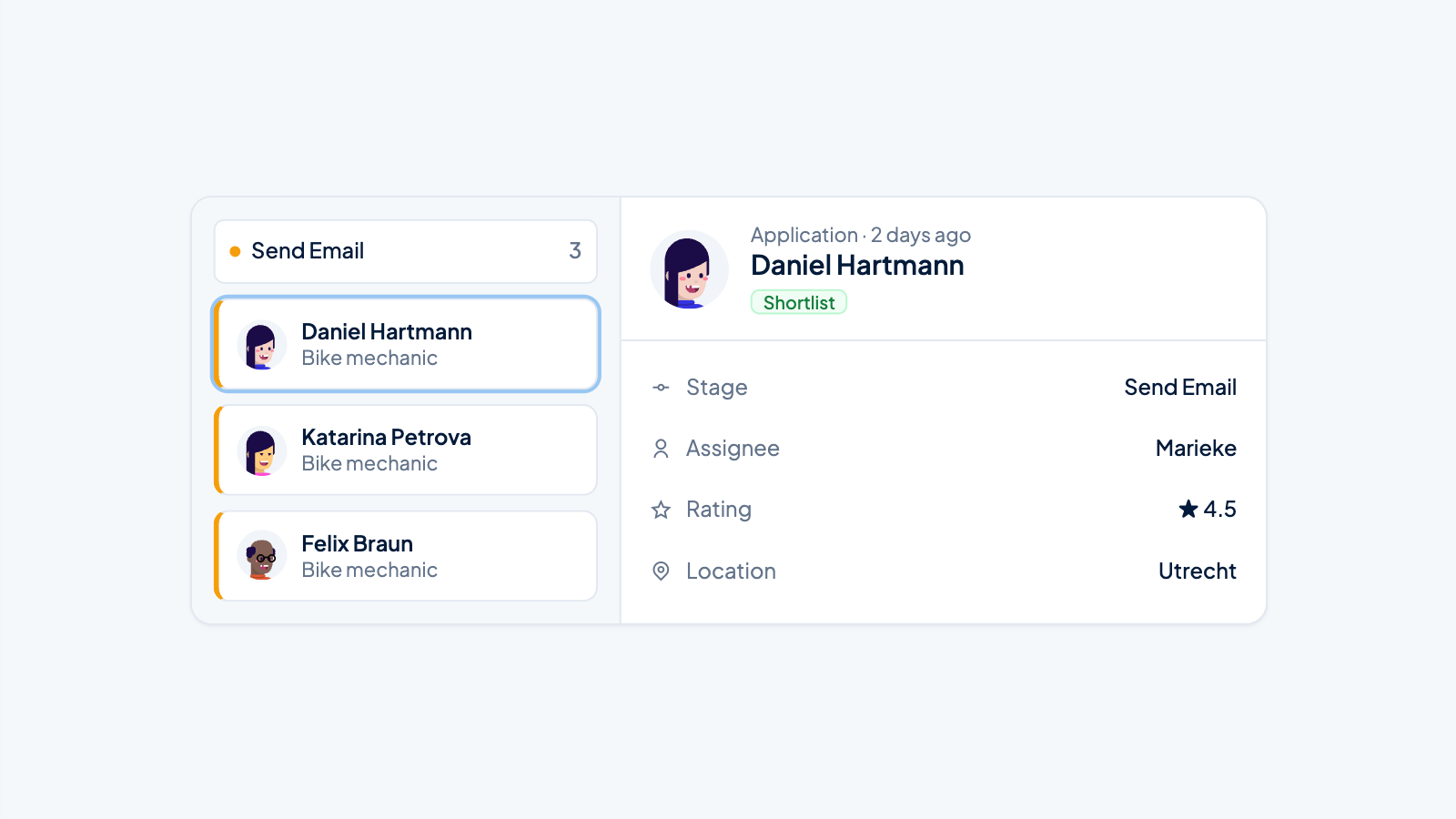
For small businesses, the right recruitment software is essential for professionalizing hiring processes and saving time. SMEs especially need user-friendly systems with applicant tracking, automatic resume screening, and integration with job boards. Costs range from free basic versions to €50–200 per month for professional solutions. The choice depends on the number of vacancies, the desired features, and the available budget.
What is recruitment software and why do small businesses need it?
Recruitment software is a digital platform that automates and centralizes the entire hiring process. It helps with posting vacancies, managing applications, screening candidates, and communicating with potential employees. For small businesses, this is essential because manual hiring processes are time-consuming and prone to errors.
Small businesses benefit from recruitment software because it maximizes their limited HR capacity. Where hours used to be spent sorting resumes and scheduling interviews, these tasks can now be automated. This means owners and HR staff can focus on actually assessing suitable candidates.
Professionalizing the hiring process also improves the quality of applicants. A structured approach with clear communication and fast response times ensures that good candidates do not drop out during the process. This is especially important in a tight labor market where talent is scarce.
How much does recruitment software cost for small businesses?
The cost of recruitment software ranges from free to €200 per month, depending on the features and number of users. Basic versions usually cost €30–80 per month, while comprehensive systems can cost €100–200 per month. Many providers use pricing models based on the number of active vacancies or users.
Various cost structures are available for SMEs:
- Per user: €15–50 per month per HR employee
- Per vacancy: €50–150 per active vacancy
- Fixed monthly fee: €100–300 for unlimited use
- Pay-per-hire: €200–500 per successful hire
When determining your budget, you should account for implementation costs, training, and potential integrations. Many providers offer discounts for annual payments or package deals. It is wise to start with a basic version and expand as you gain more experience.
Which features are essential in SME recruitment software?
Essential features for SME recruitment software include applicant tracking, automatic resume screening, job board integrations, and communication tools. These core functions ensure the hiring process runs smoothly without unnecessary complexity. Small businesses especially need user-friendly solutions that deliver quick results.
The must-have features for small businesses are:
- Applicant Tracking System (ATS) for tracking all candidates
- Automatic posting to job boards and social media
- Resume parsing and keyword matching for fast screening
- Email templates and automated communication
- Interview scheduling and calendar integration
- Reporting on recruitment statistics
- Mobile access for flexible working
Advanced features such as AI-driven candidate selection or comprehensive analytics are nice to have, but not immediately necessary. Focus on systems that simplify daily recruiting tasks and save time. A good user interface is often more important than countless features that are not used.
What is the difference between free and paid recruitment tools?
Free recruitment tools offer basic features such as vacancy posting and simple candidate management, but often have limitations in the number of vacancies, storage space, or number of users. Paid versions offer extensive features, unlimited access, better integrations, and professional support. For growing businesses, the limitations of free tools often quickly become a problem.
The main differences between free and paid solutions:
Free tools:
Unlimited vacancies, advanced search functions, custom workflows, extensive integrations, priority customer support, and white-label options.
For businesses that hire sporadically, free tools can be sufficient. However, as soon as you manage multiple vacancies at the same time or have specific requirements, a paid solution quickly becomes worthwhile due to the time savings and improved results.
How do you implement recruitment software in a small business?
A successful implementation of recruitment software starts with choosing a user-friendly system that fits your current processes. Plan 2–4 weeks for full implementation, including data import, team training, and testing workflows. Start with one vacancy to learn the system before moving over all recruiting activities.
Follow these implementation steps:
- Analyze your current hiring process and identify bottlenecks
- Choose software that fits your way of working and budget
- Import existing candidate data and vacancy templates
- Set up workflows and automated emails
- Train all involved employees on the new system
- Test the process with a trial vacancy
- Optimize settings based on initial experiences
Make sure your team receives sufficient training. Many implementations fail because employees are not sufficiently familiar with the new way of working. Schedule regular evaluation moments in the first months to further optimize the system.
Which common mistakes should you avoid when choosing recruitment software?
The biggest mistake is choosing software that is too complex for your needs or not user-friendly enough for your team. Many businesses are tempted by extensive functionality when they actually need simple, reliable tools. Ignoring integration options with existing systems also often leads to problems.
Common mistakes during selection:
- Choosing the cheapest system without considering functionality
- Not using a trial period to test the system
- Insufficient attention to user-friendliness and learning curve
- Not considering future growth and expansion options
- Not checking integrations with existing systems
- Not factoring customer service and support into the decision
Avoid these pitfalls by thoroughly analyzing your recruiting needs and trying out different systems. Involve your team in the decision, because they will have to work with it daily. A slightly more expensive solution that works well is often cheaper than a cheap system that does not meet your needs.
The right recruitment software can make the difference between a chaotic hiring process and a structured approach that yields quality candidates. By clearly mapping your needs and staying focused on essential features, you will find a system that fits your business and budget.
How Applyfin helps with recruitment software for small businesses
Applyfin offers a complete recruitment solution specifically designed for the needs of small businesses. Our platform combines all essential features in a user-friendly interface that requires no extensive training. With transparent pricing and flexible subscriptions, you can get started immediately without hidden costs.
Our solution helps you with:
- Automatic vacancy posting to 100+ job boards simultaneously
- Intelligent resume screening that only lets relevant candidates through
- Automated communication with personalized email templates
- Easy interview scheduling with calendar integration
- Real-time reports on your recruiting results
- Full GDPR compliance for secure data processing
Start a free trial today and discover how Applyfin can transform your hiring process. Contact us for a personal demo or view our complete feature overview to see how we can optimize your recruitment.